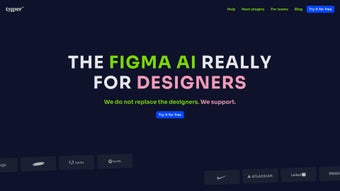

Download Typper – AI-Powered Design Assistant for Figma (Free & Secure)
Enhance Your Figma Workflow with Typper’s AI-Powered Intelligence
Designers today face mounting pressure to deliver high-quality work faster than ever. Enter Typper, an innovative AI design assistant crafted specifically for Figma users who want to streamline their creative process. Unlike generic tools, Typper integrates seamlessly into Figma’s ecosystem, offering real-time, intelligent suggestions that elevate interface design, accessibility, and layout efficiency. Whether you're drafting a new app screen, refining typography, or brainstorming visual elements, Typper acts as a dynamic co-pilot, reducing repetitive tasks and freeing up mental bandwidth for true creativity.
At its core, Typper leverages advanced AI models to understand design intent. When you type a simple command like “generate a hero section for a fitness app with vibrant gradients,” the tool instantly creates multiple layout options, complete with placeholder content, color schemes, and even responsive breakpoints. This isn’t just about automation—it’s about inspiration. The AI learns from your preferences over time, adapting to your style and improving its suggestions with every interaction. This makes it an ideal companion for solo designers, freelancers, and design teams looking to accelerate their ideation phase.
One of Typper’s standout features is its multi-plugin architecture. With dedicated tools like Typper Images for AI-generated visuals, Typper Texts for bulk content creation, and Typper Codes for converting design elements into clean, functional code (HTML/CSS/React), users gain a comprehensive toolkit without switching platforms. The subscription model ensures you always have access to new plugins as they’re released—no surprise fees, no extra charges. Plus, Typper’s commitment to sustainability adds a meaningful layer: a portion of each subscription goes toward carbon dioxide removal, making your design workflow not just efficient but also environmentally responsible.
Key Features That Set Typper Apart in the Design Tool Landscape
Typper isn’t just another Figma plugin—it’s a full-fledged design accelerator. Its feature list is thoughtfully curated to address real pain points designers face daily. Here’s what makes it truly unique:
- Typper Images: Instantly generate high-quality, on-brand visuals using natural language prompts. Ideal for mood boards, UI components, and mockups.
- Typper Texts: Create realistic placeholder copy at scale—perfect for prototyping, testing layouts, or populating multiple screens with consistent tone and voice.
- Typper Codes: Convert design layers into clean, production-ready code with minimal effort. This feature is a game-changer for developers and designers collaborating on projects.
- Real-Time Suggestions: AI-driven recommendations appear as you design, helping with spacing, contrast, readability, and accessibility compliance.
- Style Consistency Engine: Ensures all generated content aligns with your Figma design system, reducing manual adjustments.
- Secure & Cloud-Based: All data is encrypted and stored securely. No sensitive project files are exposed to third parties.
What truly sets Typper apart is its adaptive intelligence. Unlike static tools that offer one-size-fits-all outputs, Typper learns from your past projects and preferences. Over time, it begins to anticipate your needs—suggesting color palettes based on your brand, recommending layout patterns you favor, or even flagging accessibility issues before they become problems. This level of personalization transforms Typper from a mere assistant into a design partner.
Another major advantage is the seamless Figma integration. Once installed, the plugin appears directly in your Figma toolbar. No context switching.
No complex setup. Just type a command, select an option, and the AI does the rest—within the same workspace. This eliminates friction and keeps your creative flow uninterrupted.
Whether you're working on a mobile app, website, or dashboard, Typper adapts to your workflow, not the other way around.
How to Install and Use Typper: A Step-by-Step Guide
Getting started with Typper is quick and straightforward, especially if you’re already familiar with Figma’s plugin ecosystem. Here’s a detailed walkthrough to help you install and begin using the tool effectively:
- Visit the Figma Plugin Community: Open Figma and go to the Plugins menu. Click on Find More Plugins and search for “Typper” in the marketplace.
- Install the Plugin: Click “Install” next to the Typper listing. The plugin will be added to your Figma workspace instantly.
- Sign In or Create an Account: Launch Typper from your Figma toolbar. You’ll be prompted to sign in with your email or connect via Google. If you’re new, you can create a free account with a 7-day trial.
- Explore the Dashboard: Once logged in, you’ll see the Typper interface embedded in Figma. Navigate through the three main tools: Images, Texts, and Codes.
- Start Generating: Type a prompt in the input field—e.g., “Create a dark mode login screen with a gradient background and floating card.” Click “Generate,” and watch the AI produce multiple options in seconds.
- Customize and Integrate: Select your preferred design, tweak colors or fonts directly in Figma, and use the “Export to Code” feature to generate HTML/CSS if needed.
For advanced users, Typper supports custom templates and API integrations, allowing you to automate repetitive tasks across multiple projects. You can also export your generated content as SVG, PNG, or JSON for use in other tools. The interface is intuitive, with tooltips and onboarding prompts guiding new users through each step.
Regular updates ensure that Typper stays ahead of design trends. The development team releases new features monthly, including enhanced voice commands, improved accessibility checks, and better multi-language support. Subscribers also get priority access to beta features and exclusive design templates.
Compatibility, Pricing, and Environmental Commitment
Typper is designed for modern designers who work across devices and platforms. It’s fully compatible with Windows, Mac, Android, and iOS, ensuring a consistent experience whether you're using a desktop, tablet, or smartphone. The Figma plugin runs in the browser, so no heavy installation is required—just a stable internet connection.
While the core functionality is available via a free 7-day trial, the full suite of features is unlocked with a subscription. Pricing starts at $12/month for individuals and $24/month for teams. Students and educators receive a 50% discount. All plans include access to all current and future plugins, automatic updates, and 24/7 customer support.
What makes Typper truly stand out is its commitment to sustainability. For every subscription, the company donates a portion to verified carbon removal projects. This includes reforestation, direct air capture, and soil carbon sequestration initiatives. It’s a small but meaningful way to reduce your digital footprint while boosting productivity.
Pros and Cons: A Balanced View of Typper
Like any tool, Typper has strengths and limitations. Here’s a clear breakdown to help you decide if it’s right for your workflow:
Pros
- Seamless integration with Figma—no context switching.
- Powerful AI for generating text, images, and code instantly.
- Real-time suggestions improve accessibility and design quality.
- Free trial available with full feature access.
- Regular updates and future plugin access included in subscription.
- Environmentally responsible—supports carbon removal.
Cons
- No offline mode—requires constant internet connection.
- Limited collaborative features (e.g., no real-time co-editing within Typper).
- AI outputs may require manual refinement for highly specific branding.
- Higher learning curve for beginners unfamiliar with AI prompts.
Frequently Asked Questions (FAQ)
Here are answers to common questions about Typper, structured with microdata for better SEO and accessibility:
- Is Typper free to download and use?
-
Yes, Typper offers a 7-day free trial with full access to all features. After the trial, a subscription is required to continue using the tool. There’s no cost to install or access the plugin in Figma.
- Can I use Typper offline?
-
No, Typper requires an active internet connection to function. It relies on cloud-based AI models to generate content and suggestions in real time.
- Does Typper work on mobile devices?
-
Yes, Typper is compatible with Android and iOS through the Figma mobile app. While the full interface is optimized for desktop, core features like text and image generation are accessible on mobile.
- How does Typper support environmental sustainability?
-
Typper donates a portion of each subscription fee to verified carbon dioxide removal projects, including reforestation and direct air capture. This makes your design workflow not only efficient but also eco-conscious.
- Can I export code from my designs using Typper?
-
Yes, with the Typper Codes plugin, you can convert design elements into clean, functional code (HTML, CSS, React). This is ideal for developers and designers working together on front-end projects.
Final Verdict: Is Typper Worth It?
For designers who value speed, creativity, and sustainability, Typper is a must-try AI assistant. Its deep integration with Figma, powerful AI capabilities, and commitment to environmental responsibility make it one of the most compelling tools in the design space today. While it lacks offline functionality and collaborative features, its strengths far outweigh these limitations for most users.
If you're looking to download a secure, free, and efficient AI tool that enhances your Figma workflow, Typper is an excellent choice. Try the 7-day trial today and experience how AI can transform your design process—from ideation to implementation.
Download Typper now and take your design productivity to the next level.



.png)



